Start with the layout, not the sample business. The words, photos, colours and fonts can all change in the planned member studio.
Pick a style below, switch between desktop and phone, and scroll through the example. These are screen previews of the working templates; editing and website downloads belong in the member studio.
Studio preview · Membership and checkout are still being prepared. Exploring here will not sign you up or charge you.
1 Pick a style below
2 Check Desktop and Phone
3 Read how you can customise it
Craftwork
Choose a style, then check how it looks on a phone. You can switch styles freely; nothing is saved or purchased here.
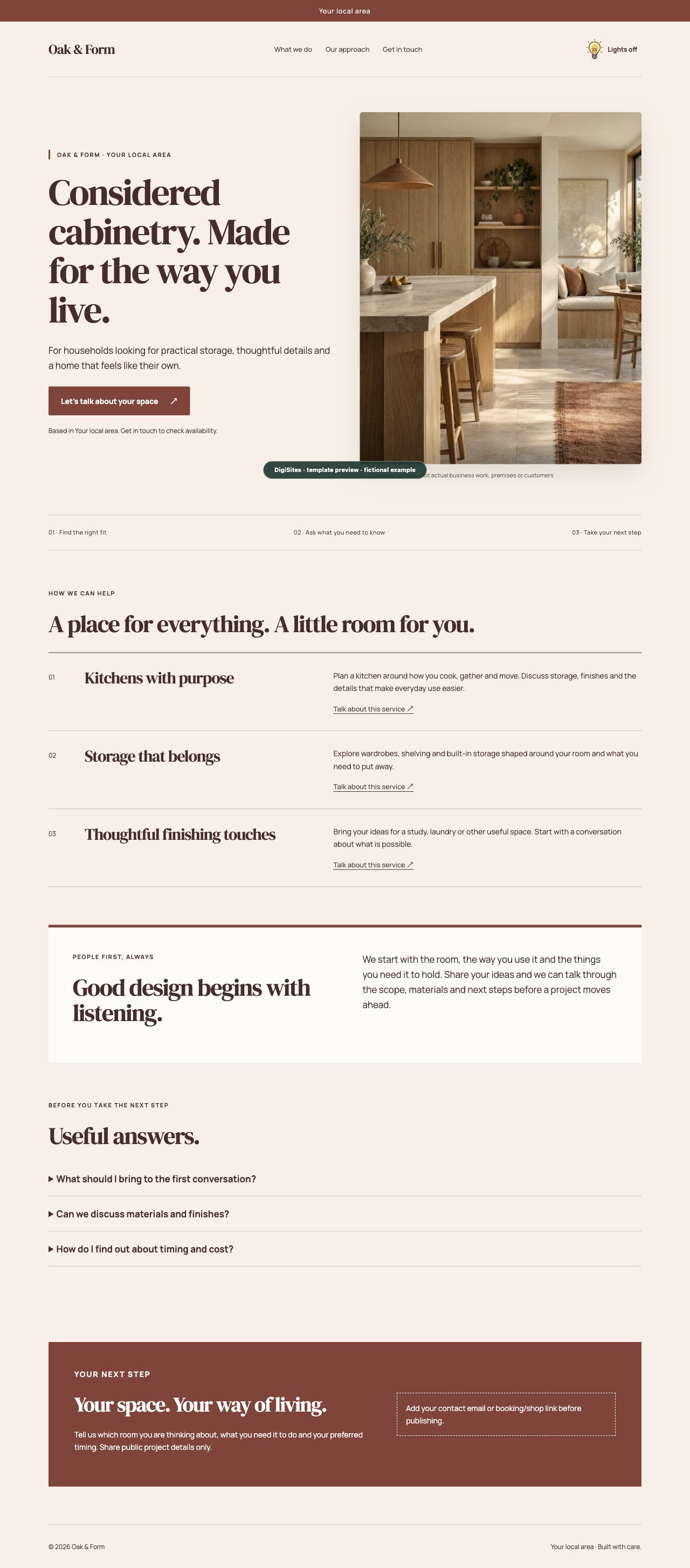
A warm editorial design for skilled makers and considered interiors.
2. Scroll this picture to see the whole page · example buttons do not work
Showing Craftwork on desktop. Buttons inside the screenshot are not interactive.
Just comparing today? Note the template name, or bookmark this page. Your choice is not saved to an account.
A LITTLE DIRECTION. A LOT OF POSSIBILITY.
From an idea to “that feels like me”.
You bring the knowledge of your business. The studio gives it a useful shape.
STEP 1 OF 5
Start with the people you help.
Fill in separate fields for your business, customers, offer and contact details. Your live preview turns those answers into a page. Use public business facts, not private customer information.
The tour explains the studio; it does not create or save a website.
So much is yours to change.
Words, offers, questions, photographs, company name and logo, colours, fonts, individual text styles, spacing, rounded corners and the little light globe. Each layout provides the structure; the current editor is not an unrestricted drag-and-drop page builder.
Save a named version before experimenting. Restore an earlier version, reset one text style, or return to the original starter. Download important backups too—browser storage is not cloud storage.
The intended member licence lets you customise a template for your own business or a permitted client website, publish that finished site and keep backups. Cancelling a membership will not remotely switch off a lawfully downloaded site.
It does not permit reselling or redistributing PorridgeWeb’s proprietary template packs, admin system or resource library as stock products, a competing library or a website-building service. Keep required licence notices. Your own content stays yours; third-party and open-source materials keep their separate permissions.
Showroom previews are for evaluating PorridgeWeb. Viewing them does not grant a template download or reuse licence. Sample businesses and AI-generated photos are illustrative, not genuine customer claims. We do not promise exclusive copyright in AI-generated imagery.
The licence summary and Terms remain drafts for review before paid launch. The final permitted scope must be shown before purchase and supplied with the download; existing licences and mandatory legal rights are not reduced. Read the current terms draft →