LAUNCH & IMPROVE · A SMALL STEP THAT MAKES IT REAL
A home for your website. A plan for launch day.
Explore whether Netlify fits your website, then work through one practical check at a time. Your goal: make it easy for the right person to take the next step.
THE USEFUL BIT, FIRST
A useful home for a lightweight website.
Netlify is worth exploring for a site built from static files and for projects that deliberately use its developer services. It can make publishing straightforward, but hosting is only one part of running a website. Putting a contact button online does not magically give it an inbox.
What that could look like for you
A service business can publish a clear, fast brochure site and then connect its enquiry process separately. Start with the pages and the next step your customer needs. Add accounts, bookings or databases only when their ongoing cost and support are understood.
A small check before a big commitment
Review the current plan, traffic and request allowances, forms or functions costs, and what happens at a spending limit. Test your actual exported site before committing. PorridgeWeb membership does not currently include managed customer hosting.
PorridgeWeb is a Netlify Ecosystem Partner. We may earn a commission if you sign up through our referral link and make a qualifying purchase. Prefer to go directly? Visit Netlify without our referral link.
Editorial review: 6 October 2026. Check the provider’s current features, prices and terms before choosing. Recommendations depend on your needs, not a commission rate.
Free planning checklist · No account or AI credits needed
Your website. Your hosting account. Your choice.
You choose and control your Netlify account. Hosting charges are separate from PorridgeWeb membership. Our partner link does not create an account, publish your website or activate the Porridge Hosted plan. How our recommendations work.
01 · CHOOSE THE JOB BEFORE THE HOST
Is Netlify a good home for your idea?
Netlify publishes websites and web applications. For a small business with a prepared HTML website, it can put your pages online without you maintaining a traditional web server. Your words, images and calls to action still do the work of helping a visitor decide.
A useful fit
A brochure site, portfolio or service website built as static pages. You want to review changes before launch and connect your own domain.
Check the extra pieces
Bookings, payments, member accounts and enquiry handling need working services behind them. A button or form in a template does not provide those services.
Consider another route
If you need a conventional WordPress dashboard or an all-in-one shop, compare a managed WordPress host or a hosted commerce platform. Choose for the full workflow, not just hosting.
Budget for the website you will actually run.
Compare the current plan, included usage, extra credits and any automatic recharge settings. Traffic, large downloads and added features can affect cost. Domain registration, business email, booking and payment services may be separate purchases.
View Netlify’s current plans ↗ before signing up. Check currency, tax, renewal conditions and what happens at the limit. A free starting plan is not a promise of unlimited traffic or a permanently zero-cost business website.
02 · A SIMPLE STATIC-WEBSITE ROUTE
From your finished folder to a first review.
Keep a clean copy. Unzip your website download. Identify the prepared website folder with its index.html and supporting assets. Keep backups and private notes outside that folder. Remove demo claims and replace placeholder contact details.
Choose your account and plan. Use our Netlify referral link or sign up directly. We may earn a commission from qualifying purchases through the referral link. Create an account you control and review its terms and account-protection options yourself. Already have an account? Sign in to Netlify. PorridgeWeb does not create the account for you.
Upload the prepared website folder. Follow Netlify’s current add-project instructions ↗. This guide uses already-built static files. Netlify also offers other build workflows; follow your template’s instructions if it needs one.
Review before you announce it. Open the resulting site address and check its visibility settings. A preview link is not proof of private access. Test on your phone and ask someone to try the main action without coaching.
Connect your domain carefully. Follow the domain instructions shown for your project and check HTTPS. Preserve existing email records. Record old DNS settings before changing them; never replace records just to make an error disappear.
Keep a route back. Retain a known-good website copy and learn how to restore a previous deploy. Reverting website files does not undo customer emails, payments or database changes. Then complete the checklist below.
A garden business, with the customer in mind.
Fictional worked example · Not a customer testimonial or a connected demonstration
The Good Patch wants local households to ask about regular garden care. Its owner prepares a simple website explaining the service area, the work offered and what happens after an enquiry.
The homepage answers “Do you work near me?” before asking for a click.
A “Tell us about your garden” action links to a tested enquiry service. If a form is not connected yet, a clearly labelled email link provides an honest alternative.
The owner uploads the prepared website, checks mobile text and images, and sends a test enquiry from an outside address.
The final check is the reply: does the customer know when to expect a response and what information will help?
A useful result: a clear service website and a tested way to make contact. It still needs real photographs or licensed assets, accurate claims and a person who follows up. Hosting alone cannot promise enquiries.
When something does not work.
I can see a blank page or a missing page.
Check that you uploaded the prepared website folder, not its parent. Confirm the entry page and linked asset paths. If the project needs a build, inspect its build output and the template’s deployment instructions.
The contact button looks fine, but nothing arrives.
Check where the button leads and whether the receiving service is configured. Try a real test with a non-sensitive message, confirm delivery and check the reply path. Do not label a form “working” based on its appearance.
The domain or secure connection is not ready.
Compare the project’s required DNS records with your DNS provider. Preserve email records, allow for propagation, and check Netlify’s HTTPS guidance. Do not bypass browser security warnings.
I need a login, shop or editable admin.
A static export does not automatically include these. Confirm the template’s actual included functionality, required services and support before purchasing or publishing. A PorridgeWeb studio preview is not a deployed customer admin.
Check the source, keep control.
Provider guidance reviewed . Plans and interfaces change; consult these official sources when taking action.
These are official links, not affiliate links. Our suitability advice and fictional example are PorridgeWeb editorial guidance, not a Netlify endorsement.
03 · ONE USEFUL CHECK AT A TIME
Your launch-day checklist.
Start anywhere. Tick a check after you have tried it, not just planned it. For a feature you do not use, first confirm it is absent from your site.
One checklist per browser for this guide. It does not sync to your account or other devices. Clearing browser data can remove it. No personal information is needed.
Your ticks record your own review. They do not scan your website, publish it, certify compliance or guarantee security or sales.
Clear these checklist ticks?
This clears only this guide’s progress in this browser. Your website and other PorridgeWeb work are unchanged.
PorridgeWeb launch checklist · porridgeweb.com/tools-and-services/netlify/ · Self-review, not certification. Unchecked items need attention.
PICTURE WHAT YOU COULD MAKE
From a useful idea to something you can see.
Different businesses. Different starting points. Explore how the choices could work for you.
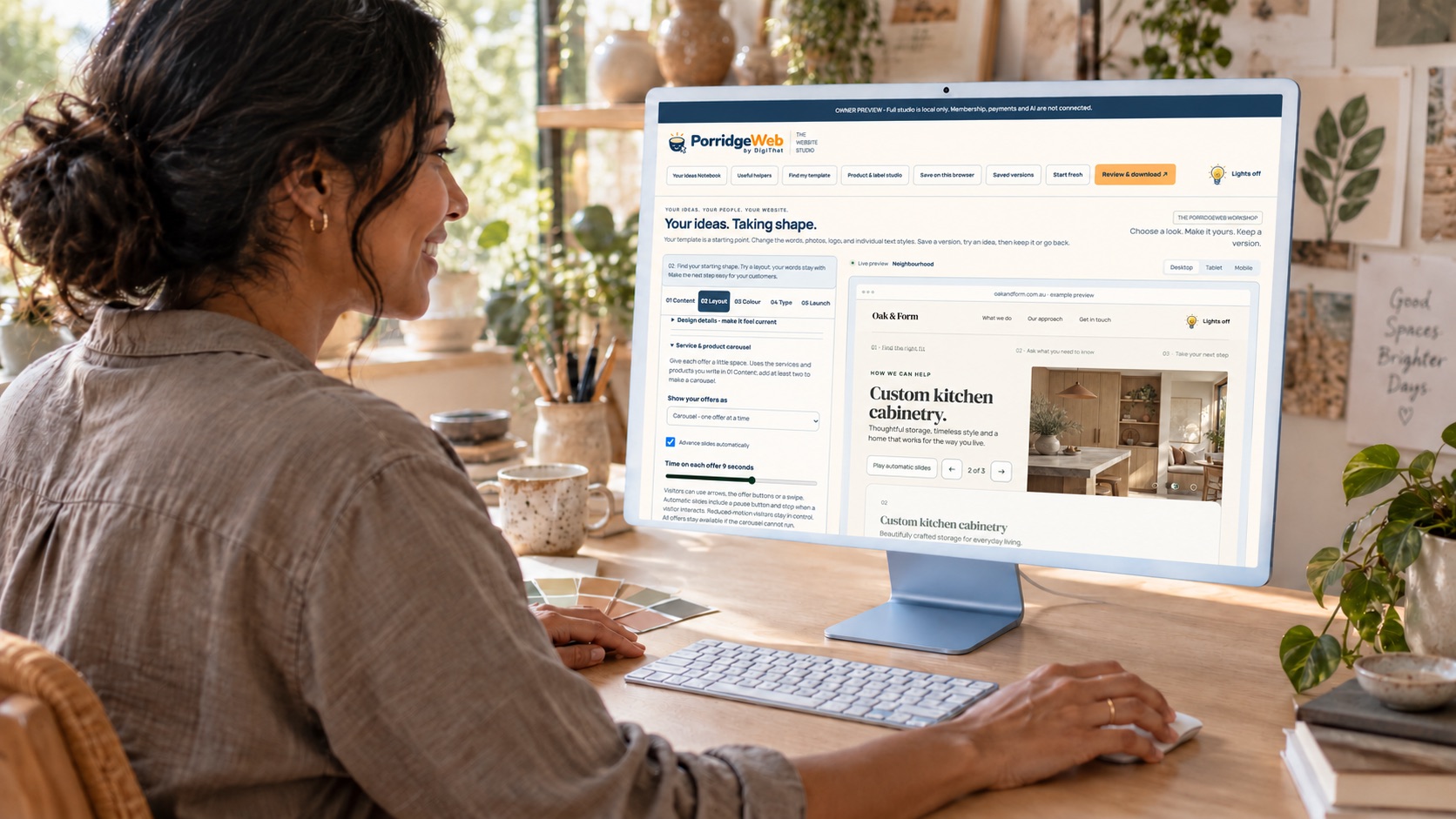
Build the website around what it needs to do.
Select an optional carousel, adjust its timing and review the result alongside the controls. Keep the useful features and leave the rest off.
Illustrative scenes with fictional people and businesses, created using AI. For actual tool demonstrations and current availability, see the tool tour.
Need a hand?
Let’s find your next step.
Practical help, one thing at a time.
Start with the page’s instructions, save a copy of your work and try one change at a time. Our tool tour explains the main tools.
Prefer a person?Draft an email for help Your email app opens a draft for you to review and send. Don’t include passwords, payment information or private customer records.