
Porridge+ and above · 5 CLEAR STEPS
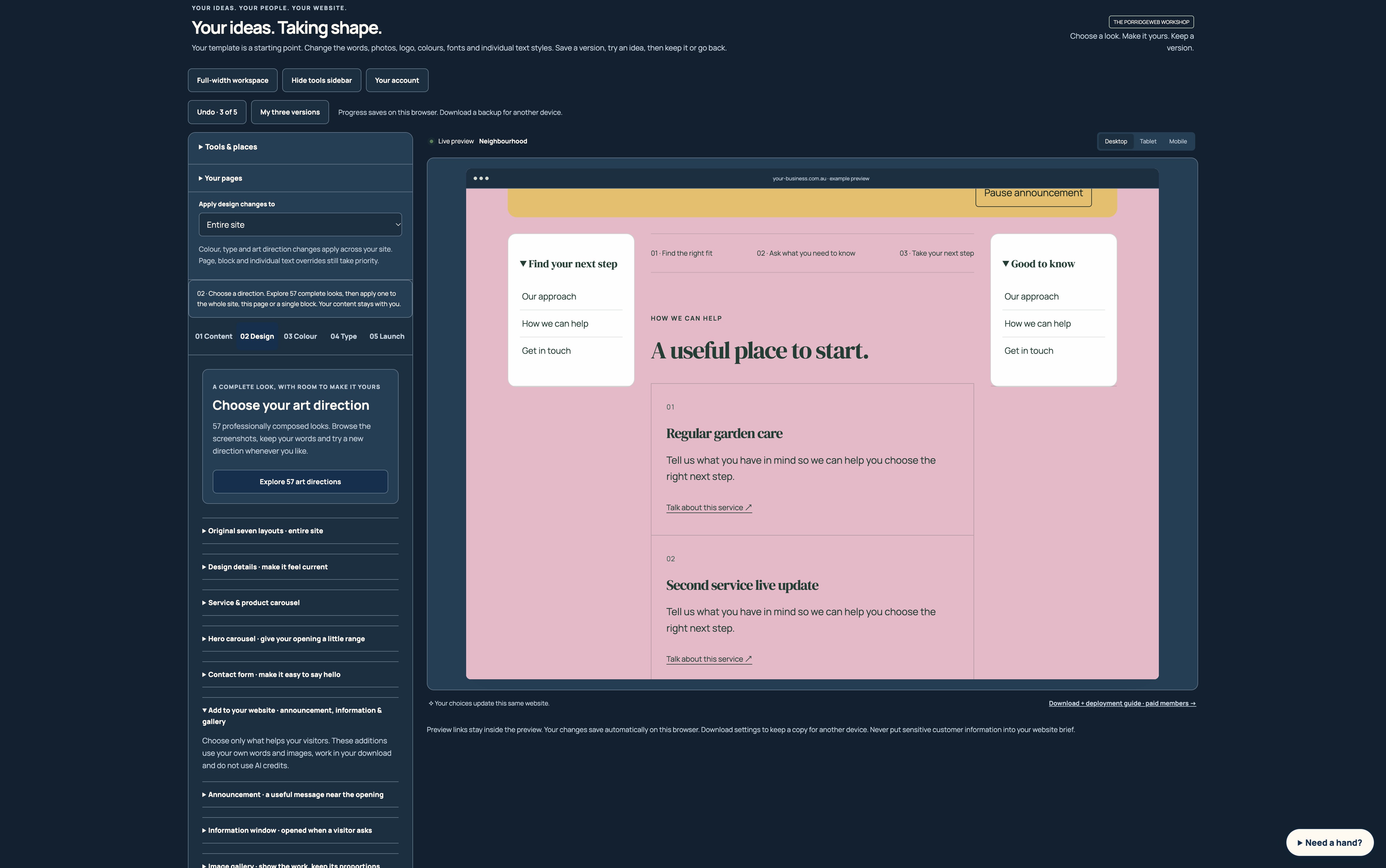
Left and right website sidebars
Keep useful links near the content they support.
Reading this guide is free. Opening the tool needs the membership shown above. Review the monthly price before checkout.
READ IT. TRY IT. MAKE IT YOURS.
One useful step at a time.
Keep this guide beside you while you work. Complete any passwords or private details in the tool, never in a tutorial.
STEP 1 OF 5
Find the sidebar controls
In 02 Design, open Add to your website · announcement, information & gallery, then Left sidebar or Right sidebar. The settings apply to the current page.
STEP 2 OF 5
Turn on the side you need
Enable the left or right sidebar, or both. Write a useful title and choose a width from 180 to 320 pixels. The opening imagery keeps its full width.
STEP 3 OF 5
Add clear destinations
Add up to six links on each side. Use descriptive labels and a safe website address or section anchor such as #contact. Empty destinations appear as text rather than broken links.
STEP 4 OF 5
Choose sticking and collapsing
Sticky keeps a panel nearby while reading on wider screens. Collapsible adds a disclosure control. Escape closes an open panel and returns to its heading.
STEP 5 OF 5
Check smaller screens
Sidebars stack as the available space narrows, and supporting content adapts to the narrower column. Check both sides, keyboard focus and the phone preview before export.
HOW YOU KNOW IT WORKED
Check your result.
Sidebars support the main reading path, all destinations work, and small screens do not require sideways scrolling.
If it doesn’t feel right yet.
Keep only links that help the reader’s next decision. Too many signposts can turn into a hedge.
Ask for a helping hand ↗Include the step and what happened. Leave passwords, keys and private customer information out.
Saved only on this browser. It is a reading reminder, not proof of completion or compliance.
Keep going at your own pace.
← All tutorialsGuide checked against the working tools on 14 October 2026. External service screens and requirements may change.