
Porridge+ and above · 5 CLEAR STEPS
Day/night landscapes and image fades
Give an opening or closing scene room to blend into your website.
Reading this guide is free. Opening the tool needs the membership shown above. Review the monthly price before checkout.
READ IT. TRY IT. MAKE IT YOURS.
One useful step at a time.
Keep this guide beside you while you work. Complete any passwords or private details in the tool, never in a tutorial.
STEP 1 OF 5
Choose the opening scene
In 02 Design → Main image, choose an Australian coast, country valley or ranges watercolour, a photographic alternative, or your own authorised image. The bundled scenes have matching day/night versions.
STEP 2 OF 5
Choose the fade and position
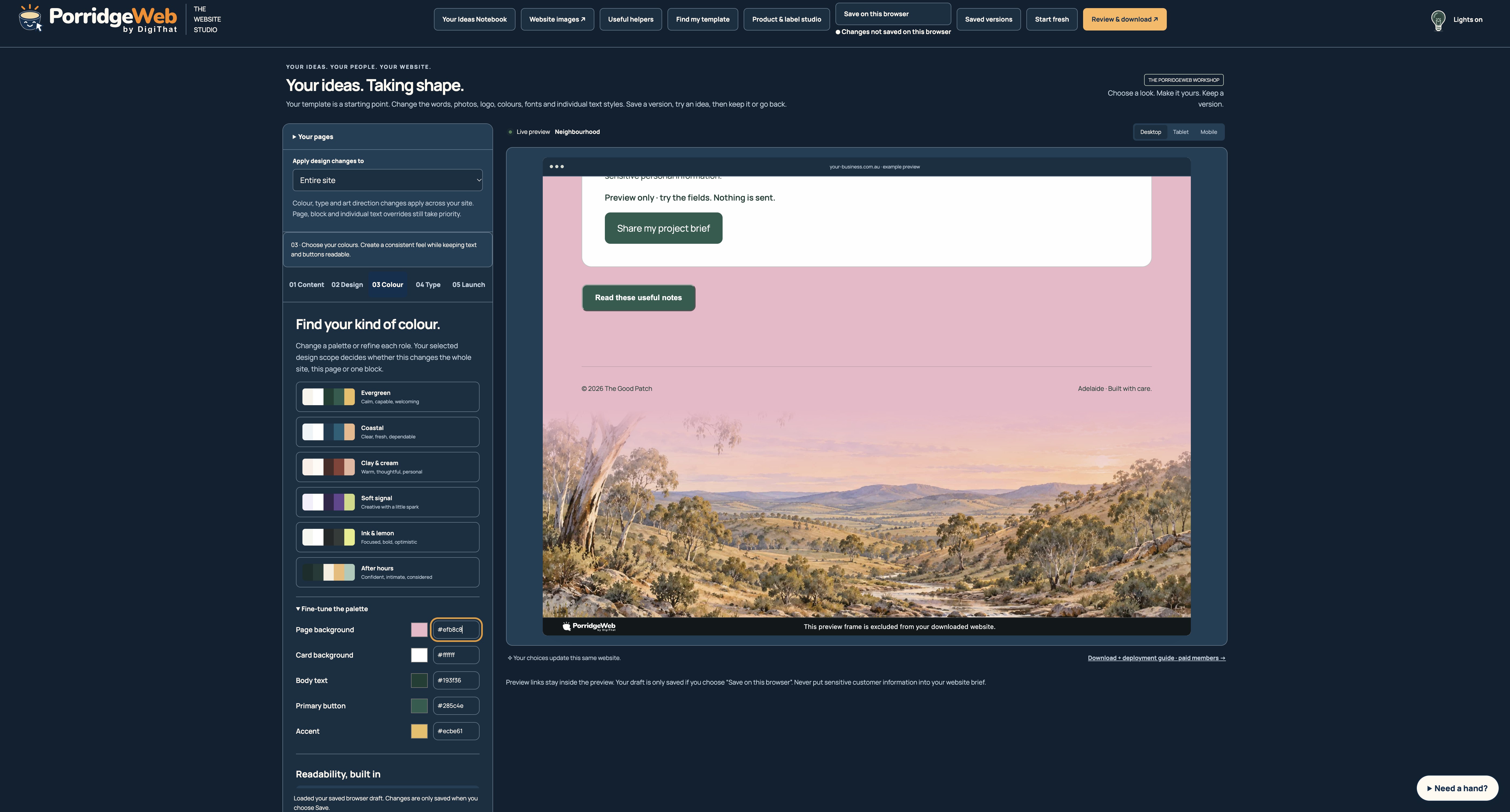
Enable Blend the opening image into the page. Choose None, Top, Bottom, Left or Right as the fade edge, adjust the 10–90% fade length and choose the image alignment. The fading colour comes from your page palette rather than a baked-in white edge.
STEP 3 OF 5
Decide where the header sits
Choose a regular header or a transparent header over the landscape. Keep navigation and your headline readable. Australian Horizon provides an opening treatment you can adapt; the scene controls work with other templates too.
STEP 4 OF 5
Add an optional closing landscape
Choose Closing landscape, or None to leave it off. Set its own fade edge, length and alignment. A top fade lets the body colour flow into an image at the bottom; choose another edge if it better fits your layout.
STEP 5 OF 5
Review both appearances
Use the preview’s light/dark control, desktop and phone widths. Paired starter scenes switch automatically; a custom upload is retained rather than replaced with stock imagery. Export includes the needed paired assets.
HOW YOU KNOW IT WORKED
Check your result.
The image blends into the actual page colour in both appearances and text stays legible over the scenic treatment.
If it doesn’t feel right yet.
Try a simpler opening, a shorter fade or a regular header if the photo competes with your message. Generated landscapes are illustrative, not a photograph of your premises.
Ask for a helping hand ↗Include the step and what happened. Leave passwords, keys and private customer information out.
Saved only on this browser. It is a reading reminder, not proof of completion or compliance.
Keep going at your own pace.
← All tutorialsGuide checked against the working tools on 14 October 2026. External service screens and requirements may change.